URL Player Online vs VLC: Full Comparison for Playing Videos from a URL (2026 Guide)
URL Player Online vs VLC (2026): Best Way to Play Video from URL
When it comes to playing videos from a direct URL or network stream, most users immediately think of VLC Media Player. It has been a trusted multimedia tool for years and supports nearly every media format imaginable.
However, in today’s browser-first world, many users are searching for faster, simpler solutions that don’t require downloading or installing software. That’s where URL Player Online offers a practical alternative.
In this in-depth comparison, we will analyze:
- What VLC Media Player is and how it works
- What URL Player Online does differently
- Feature-by-feature comparison
- Performance and resource usage
- Security and convenience considerations
- Best use cases for each tool
- Which one is better depending on your needs
By the end of this guide, you’ll clearly understand when to use VLC and when a browser-based URL player makes more sense.
What Is VLC Media Player?
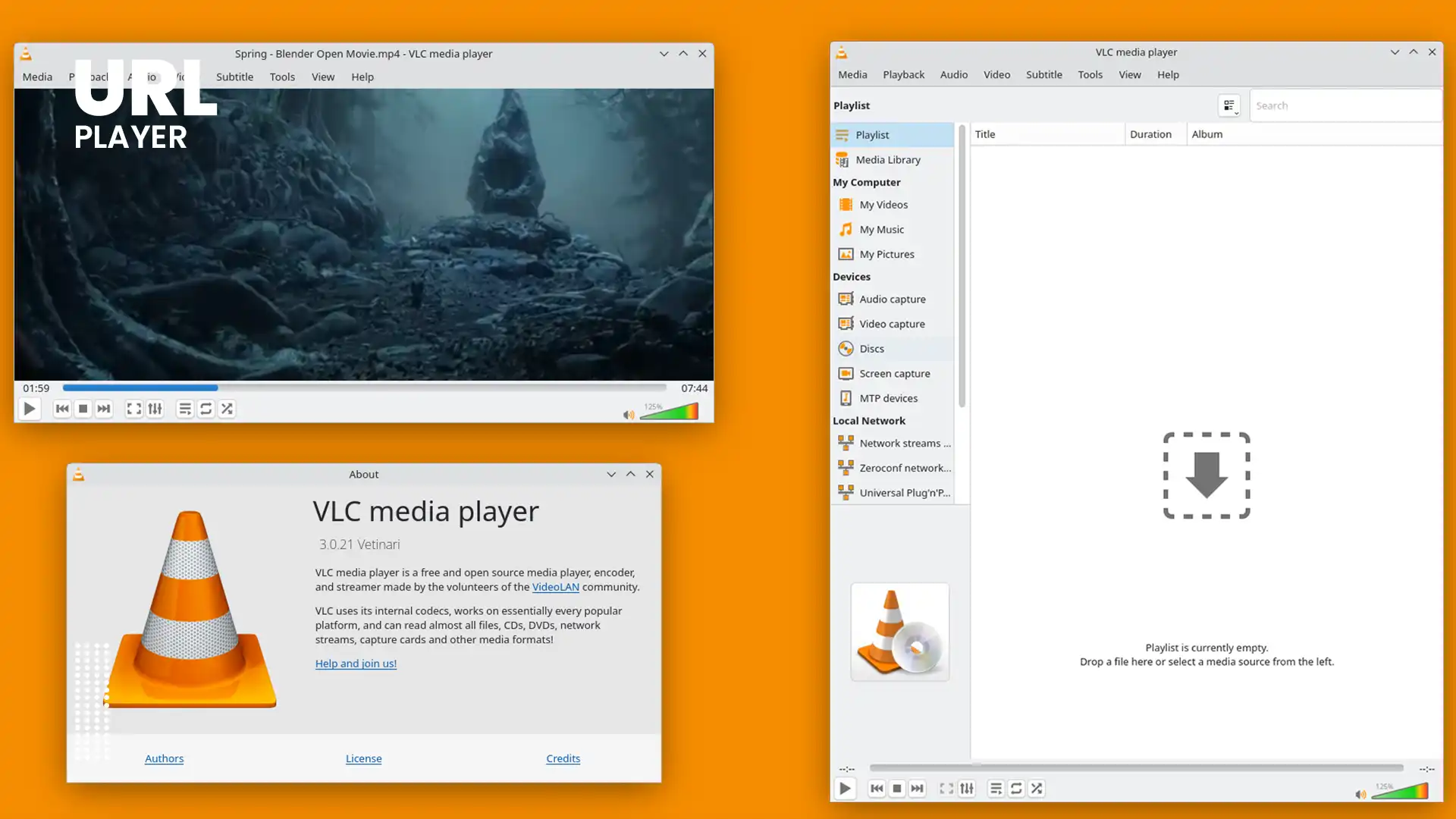
VLC Media Player is a free, open-source multimedia application developed by the VideoLAN project. It is available for:
- Windows
- macOS
- Linux
- Android
- iOS
VLC is known for its extremely wide format compatibility. It can play almost any video or audio file without requiring additional codecs.
Key Strengths of VLC
VLC is powerful because it supports:
- Local video and audio playback
- Network streams (HTTP, RTSP, RTP, HLS, etc.)
- DVD and Blu-ray playback
- Subtitle customization
- Advanced audio controls
- Codec configuration
- Video filters and adjustments
- Media conversion tools
For professionals working with media files, VLC is often considered an essential tool.
Limitations of VLC
Despite its power, VLC has some drawbacks when it comes to quick URL playback:
- Requires installation
- Must be updated periodically
- Uses device storage and memory
- Requires manual configuration for certain streams
- Not accessible instantly on shared/public devices
For users who just want to open a video URL quickly, launching a full desktop application can feel excessive.
What Is URL Player Online?

URL Player Online is a browser-based video playback tool designed specifically for playing direct video URLs without installing software.
It works directly in your web browser.
Users simply:
- Copy a video link (MP4, M3U8, DASH, etc.)
- Paste it into the player
- Click play
The video loads instantly if the format is browser-supported.
Core Benefits of URL Player Online
- No installation required
- Works on any device with a modern browser
- Lightweight and fast
- Ideal for testing video URLs
- Simple interface
- Picture-in-Picture support (browser dependent)
This makes it particularly useful for developers, stream testers, and users who need quick access to streaming links.
URL Player Online vs VLC: Side-by-Side Comparison
|
Feature |
URL Player Online |
VLC Media Player |
|---|---|---|
|
Installation Required |
No |
Yes |
|
Works in Browser |
Yes |
No |
|
Speed of Opening URLs |
Instant |
Requires application launch |
|
Picture-in-Picture Mode |
Yes |
Limited |
|
Stream Testing for Dev |
Simple and fast |
Requires configuration |
|
Device Compatibility |
Any device with a browser |
Must install the app per device |
|
Resource Usage |
Very low |
Moderate to high |
|
Format Support |
Browser-supported formats |
Supports almost all formats |
|
Best Use Case |
Quick URL playback and testing |
Advanced playback and offline |
Feature Comparison: URL Player Online vs VLC
Let’s break down the differences clearly.
Installation
- URL Player Online: No installation required
- VLC: Requires download and installation
For quick access, browser-based playback wins.
Accessibility
- URL Player Online: Works on any device with Chrome, Safari, Edge, or Firefox
- VLC: Must be installed separately on each device
If you switch devices often, URL Player Online offers greater flexibility.
Format Support
- URL Player Online: Supports browser-compatible formats (MP4, HLS, DASH depending on browser support)
- VLC: Supports nearly all video and audio formats
If you work with rare codecs or legacy file types, VLC is superior.
Speed of Opening a URL
- URL Player Online: Instant (paste and play)
- VLC: Requires opening application and entering network stream
For quick testing, URL Player Online is more efficient.
Resource Usage
- URL Player Online: Uses minimal system resources (runs in browser)
- VLC: Uses moderate system memory and CPU
On low-end devices, browser playback may feel lighter.
Offline Playback
- URL Player Online: Requires internet
- VLC: Supports full offline playback
If you need to watch downloaded media without internet access, VLC is essential.
Advanced Controls
- URL Player Online: Basic playback controls
- VLC: Advanced filters, audio equalizer, subtitle syncing, codec tweaks
For professional media editing or fine-tuning, VLC is better.
Performance and Efficiency
Performance depends heavily on the use case.
For Quick URL Testing
URL Player Online performs extremely well when:
- Testing HLS (M3U8) streams
- Checking if a stream is active
- Previewing embedded media
- Verifying video links
Because it eliminates installation and configuration, it saves time.
For Heavy Media Workflows
VLC performs better when:
- Converting file formats
- Applying filters
- Managing subtitle tracks
- Playing damaged or unusual files
VLC is built as a full multimedia suite, not just a playback tool.
Security Considerations

Security matters when opening unknown URLs.
With URL Player Online
- Playback occurs directly through your browser
- No software is installed
- No local file storage required
- No permanent media caching
This reduces long-term system impact.
With VLC
- Streams are handled locally
- External protocols may require configuration
- Files may be saved locally
Both tools are generally safe when used responsibly, but browser-based playback reduces the risk of unnecessary system changes.
When Should You Use URL Player Online?

Here are practical scenarios where URL Player Online shines:
1. Play Video from URL Online Without Installation
If you receive a video link and need immediate playback, using a browser is the fastest solution.
2. Stream Testing for Developers
Developers working with:
- HLS streams
- DASH manifests
- Embedded players
- Streaming server configurations
can test URLs quickly without switching applications.
3. Working on Shared or Public Devices
On school computers, office systems, or shared devices where installing software is restricted, browser playback is ideal.
4. Low-End Devices
On lightweight laptops or tablets, running a browser may consume fewer resources than launching a full media application.
5. Quick Validation of Streaming Links
Content creators and IT professionals can verify that links are active and functional before publishing.
When Should You Use VLC?
VLC remains the better option in these situations:
1. Offline Media Playback
Downloaded movies, recorded files, or archived content are better handled locally.
2. Advanced Codec Requirements
If a file uses rare or unsupported codecs, VLC is far more reliable.
3. Professional Media Adjustments
VLC supports:
- Audio equalizers
- Video filters
- Subtitle timing adjustments
- Media conversion
These features are not available in lightweight browser players.
4. Local Network Streaming
If you are streaming from:
- NAS devices
- DLNA servers
- Internal networks
VLC provides better control and compatibility.
Is URL Player Online a VLC Replacement?
Not exactly.
It is better described as a complementary tool.
VLC is designed for:
- Advanced media handling
- Offline playback
- Professional-level adjustments
URL Player Online is designed for:
- Speed
- Simplicity
- Accessibility
- Instant browser playback
Many users benefit from using both tools depending on their situation.
The Modern Shift Toward Browser-Based Tools
Over the last decade, software usage has shifted toward browser-based solutions.
Reasons include:
- Cross-device compatibility
- No installation friction
- Cloud-first workflows
- Simpler updates
- Lower system dependency
URL Player Online reflects this modern approach by offering lightweight, universal access.
VLC represents the traditional desktop model powerful, but more system-dependent.
Which Tool Is Best for You?
It depends on your needs.
Choose URL Player Online If:
- You want instant playback
- You need quick URL testing
- You prefer no installation
- You work across multiple devices
- You want lightweight access
Choose VLC If:
- You need advanced video controls
- You work with offline files
- You use rare formats
- You need media conversion tools
Conclusion
Both URL Player Online and VLC Media Player are valuable tools, but they serve different purposes.
VLC is a powerful, feature-rich multimedia platform built for professionals and advanced users who require full control over their media files.
URL Player Online provides a fast, modern, and convenient solution for playing video links directly in a browser without installation or configuration.
In many cases, the best approach is not choosing one over the other but understanding when to use each.
For quick URL playback and stream testing, a browser-based solution offers unmatched convenience.
For advanced editing, offline viewing, and full codec support, VLC remains a strong choice.
As video streaming continues to evolve, lightweight browser tools and traditional desktop applications will continue to complement one another rather than compete directly.