Introduction to Video Players and Conversion Performance

Video Player Performance and Conversion Optimization (2026)
Video has become one of the most powerful tools in modern digital communication. From product demonstrations and explainer videos to onboarding tutorials and sales presentations, video content shapes how users perceive value, trust brands, and ultimately make decisions.
However, while most businesses focus heavily on video production quality, they often overlook a critical factor: the video player itself.
The video player is not just a container for content. It directly influences:
- User engagement
- Viewer retention
- Trust perception
- Interaction behavior
- Conversion rates
A poorly optimized video player introduces friction. A well-designed one removes barriers and guides users toward action.
In this comprehensive guide, we will explore:
- How video influences conversion behavior
- The psychological drivers behind video engagement
- Why video player performance matters
- UX and design factors that impact conversions
- Conversion-oriented player features
- Data tracking and optimization
- Industry-specific use cases
- Best practices for maximizing conversion performance
Understanding Conversion Behavior
Before analyzing video player impact, we must understand what drives conversions.
What Is a Conversion?
A conversion occurs when a user completes a desired action after interacting with digital content. Examples include:
- Purchasing a product
- Signing up for a newsletter
- Registering for a webinar
- Requesting a demo
- Downloading a resource
- Subscribing to a service
Conversions depend on multiple psychological triggers:
- Clarity
- Trust
- Emotional connection
- Perceived value
- Ease of action
Video influences all of these — but only when delivered through an optimized playback experience.
Why Video Is a High-Impact Medium?
Video combines:
- Visual storytelling
- Audio reinforcement
- Emotional engagement
- Demonstration capability
Unlike text or images alone, video can:
- Reduce uncertainty
- Build credibility quickly
- Show real-world results
- Demonstrate product functionality
- Humanize a brand
Research consistently shows that video increases:
- Time on page
- Product understanding
- Purchase intent
- Trust signals
However, these benefits depend heavily on playback quality and user experience.
The Impact of Video Player Performance on Conversions

Even high-quality content can fail if playback performance is poor.
1. Playback Speed and Startup Time
Users expect instant playback.
If a video:
- Takes too long to load
- Buffers repeatedly
- Displays errors
- Stutters during playback
Users lose trust and abandon the page.
Studies show that even small delays significantly increase bounce rates.
A high-performance video player:
- Optimizes startup latency
- Preloads intelligently
- Uses adaptive streaming
- Minimizes buffering
Faster playback directly supports higher engagement and improved conversion potential.
2. Adaptive Streaming and Stability
Modern users access video on:
- Fiber internet
- Mobile LTE/5G
- Public WiFi
- Corporate networks
A reliable video player automatically adjusts video quality based on connection speed.
Adaptive streaming ensures:
- Smooth playback
- Minimal interruptions
- Consistent experience
Consistency reduces frustration — and frustration kills conversions.
3. Cross-Device Compatibility
Today’s users move between:
- Desktop
- Mobile
- Tablet
- Smart TV
If a video player fails to adapt responsively, users experience:
- Cropped layouts
- Broken controls
- Inconsistent sizing
- Playback incompatibility
A conversion-optimized player must provide:
- Responsive design
- Touch-friendly controls
- Scalable resolution
- Consistent UI across devices
Consistency reinforces professionalism and trust.
User Experience and Interface Design
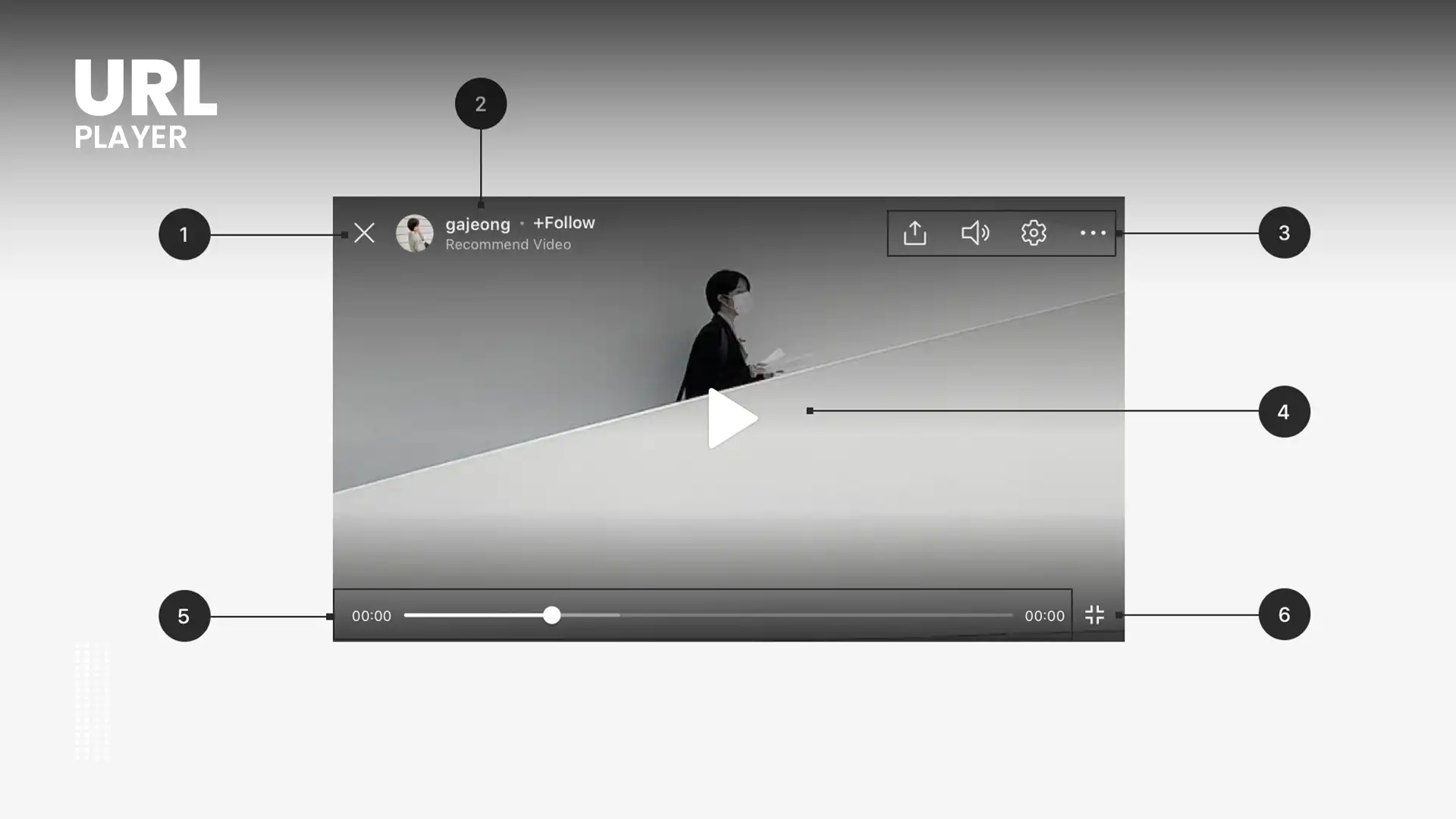
Conversion performance is heavily influenced by design.
Simplicity and Usability
An effective video player prioritizes intuitive controls.
Users should be able to:
- Play and pause instantly
- Adjust volume easily
- Switch to fullscreen
- Scrub the timeline smoothly
Controls should be:
- Visible but not intrusive
- Responsive
- Minimalistic
- Accessible
Complex interfaces increase cognitive load, reducing attention to the core message.
Visual Consistency and Brand Trust
Trust is a key conversion driver.
A video player that aligns with brand design strengthens credibility.
Design Elements That Influence Trust
- Clean layout
- Brand-aligned colors
- Consistent typography
- Smooth transitions
- Subtle animations
- No intrusive ads
Generic or outdated player designs can subconsciously reduce trust and authority.
A polished, integrated player enhances perceived professionalism.
Conversion-Oriented Video Player Features
The right features can transform video from passive content into an active conversion tool.
Interactive Call-to-Action (CTA) Overlays
Strategic CTAs inside the video increase engagement.
Examples:
- “Start Free Trial” button at peak engagement
- “Buy Now” prompt during product highlight
- “Download Guide” at conclusion
- “Schedule Demo” during feature walkthrough
Timing matters.
The highest conversion potential occurs when:
- Emotional engagement peaks
- Value is clearly demonstrated
- Objections are resolved
Well-designed video players allow:
- Clickable overlays
- End-screen CTAs
- Mid-roll interaction prompts
Chapter Navigation and Structured Playback
For long-form videos, structured navigation increases completion rates.
Allow users to:
- Jump to specific sections
- Replay important parts
- Skip introductions
Benefits:
- Reduced abandonment
- Increased relevance
- Improved retention
When users can control their viewing journey, engagement improves.
Smart Playback Behavior
Small features reduce friction:
- Resume playback from last position
- Autoplay muted preview (when appropriate)
- Remembered user preferences
- Automatic caption activation
Reduced friction equals increased likelihood of action.
Emotional Influence and Psychological Triggers
Video impacts emotional decision-making.
A smooth playback environment reinforces:
- Authority
- Professionalism
- Reliability
A glitchy experience introduces doubt.
Conversion psychology shows that:
- Users decide emotionally
- Then justify rationally
A stable, visually appealing video player strengthens emotional confidence.
Measuring and Improving Conversion Outcomes
A modern video player is also a data collection tool.
Viewer Behavior Insights
Advanced players can track:
- Watch time
- Completion rate
- Drop-off points
- Click interactions
- Replay frequency
These insights allow businesses to:
- Identify friction points
- Improve messaging
- Optimize CTA placement
- Shorten ineffective sections
A/B Testing Video Variations
Organizations can test:
- Different thumbnails
- CTA placements
- Video length
- Player color schemes
- Autoplay vs click-to-play
Small adjustments often yield significant conversion improvements.
Continuous optimization is essential.
Trust, Security, and Reliability
Security impacts user confidence.
Users are more likely to convert when:
- Content loads securely (HTTPS)
- Player feels professional
- No suspicious popups appear
- No forced redirects occur
A secure and stable environment reduces hesitation.
Industry Applications and Conversion Results
E-Commerce
Product videos increase:
- Purchase confidence
- Cart completion
- Reduced returns
Interactive product demos delivered through optimized players significantly improve conversion rates.
SaaS and Digital Platforms
Demo videos reduce:
- Support questions
- User confusion
- Trial abandonment
Interactive onboarding videos increase subscription upgrades.
Education and Online Courses
Structured playback:
- Improves lesson completion
- Increases certification rates
- Encourages continued enrollment
Corporate Communication
Internal training videos:
- Increase engagement
- Improve information retention
- Strengthen employee participation
Common Video Player Mistakes That Hurt Conversions
- Slow loading speed
- Forced autoplay with sound
- Intrusive advertisements
- Poor mobile optimization
- Overly complex controls
- Lack of captions
- No visible CTA
Each of these increases friction and reduces action likelihood.
Best Practices for Conversion-Focused Video Playback
- Optimize for speed first
- Use adaptive streaming
- Maintain visual brand consistency
- Include strategic CTAs
- Make controls intuitive
- Track engagement metrics
- Optimize based on data
- Ensure cross-device compatibility
- Keep design clean and distraction-free
- Maintain secure delivery
The Future of Video Players and Conversion Optimization
Emerging trends include:
- AI-driven CTA timing
- Personalized video experiences
- Behavior-based overlays
- Predictive engagement analytics
- Low-latency adaptive streaming
- Interactive shopping inside video
Video players are evolving into intelligent engagement platforms rather than simple playback tools.
Conclusion
The video player is not just a technical component — it is a conversion engine.
Performance, usability, design consistency, adaptive streaming, interactive features, and security all contribute to:
- Viewer retention
- Emotional trust
- Decision confidence
- Conversion success
When businesses select and optimize the right video player, they transform video from passive content into a strategic growth tool.
A high-performance, well-designed video player removes friction, reinforces credibility, and guides users naturally toward meaningful action.